
Download Dead Disk Doctor – Data Recovery, Disk Repair, CD Recovery, Data Restoration, Damaged Media
Overview
Dead Disk Doctor is a specialized utility developed by SoftPas for users facing data loss due to physical damage on storage media. Designed specifically for recovering information from scratched CDs, diskettes, and other compromised storage devices, the application addresses a niche but critical need in digital data preservation. Its primary purpose is to restore inaccessible files by reading and reconstructing data at the block level, offering a reliable solution for users who have lost important documents, photos, music, or other personal files due to media degradation.
The software targets individuals and professionals who rely on legacy storage formats or have archival data stored on vulnerable media. This includes users with old backup systems, educators preserving historical records, or hobbyists managing personal collections on outdated formats. While the app is not a mobile solution, its functionality fills a gap in the broader data recovery ecosystem by focusing on physical damage rather than logical corruption.
Although the developer did not provide additional technical details about the software’s architecture or background, the app’s release date of August 9, 2010, indicates it was created during a period when optical media and floppy disks were still in widespread use. Its continued relevance suggests a dedicated user base seeking dependable tools for legacy data recovery. The application’s straightforward approach—guided by a four-step wizard—makes it accessible even to non-technical users, reinforcing its value in preserving digital memories and critical information.
Key Features & Functionality
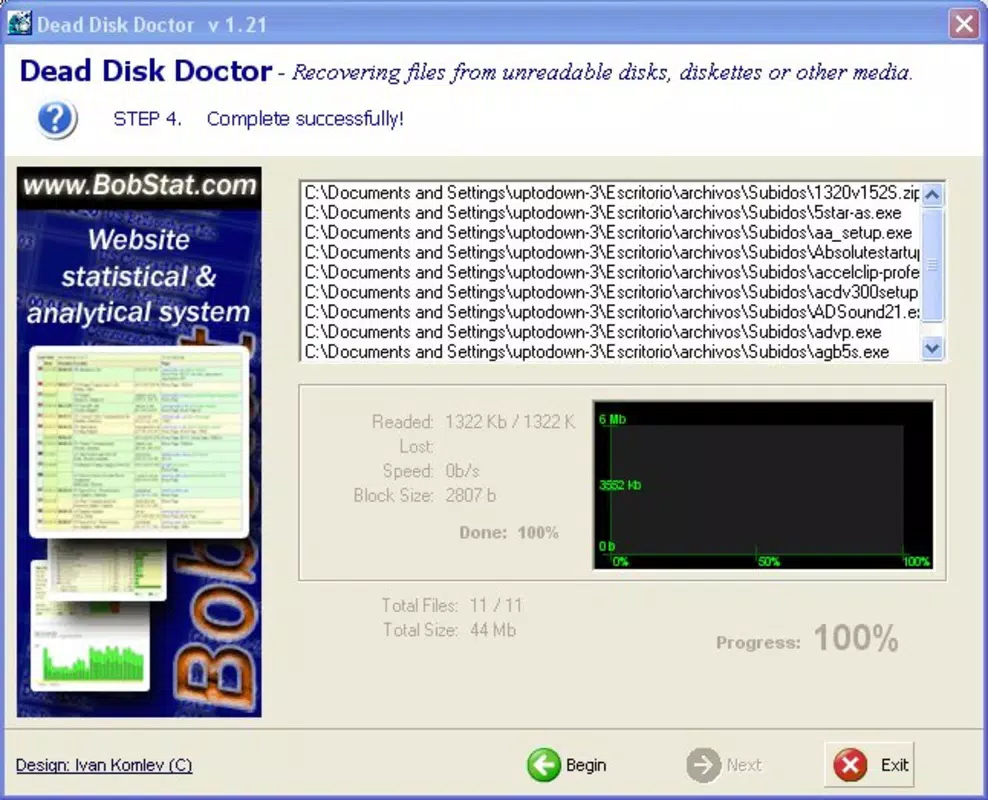
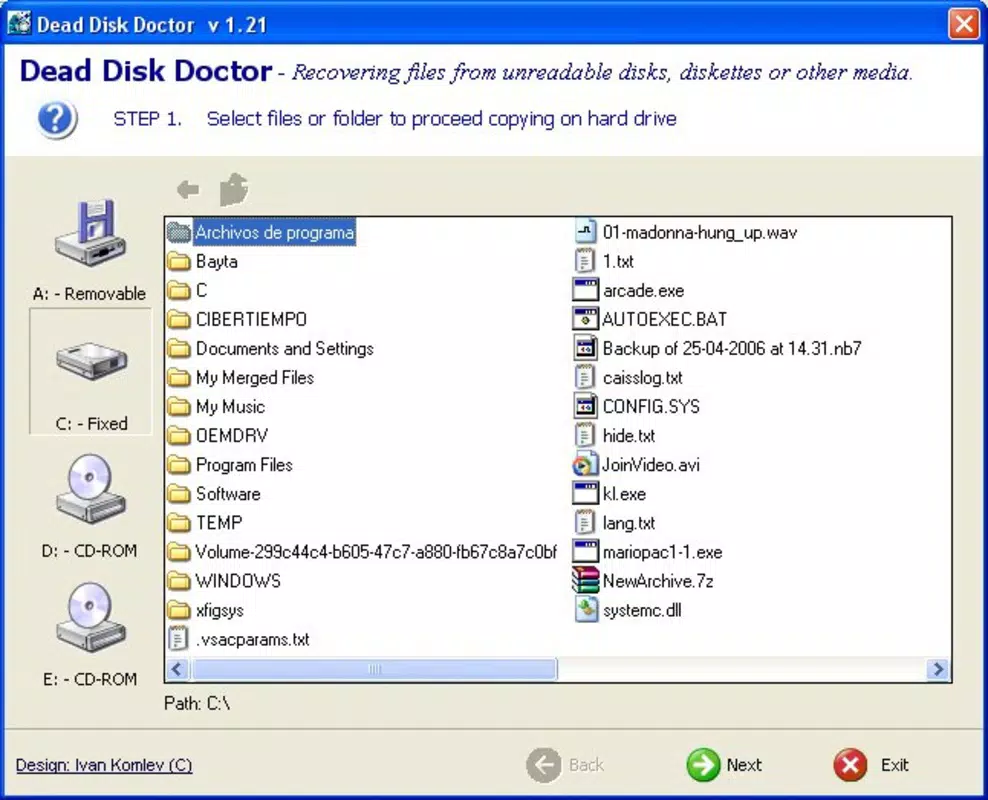
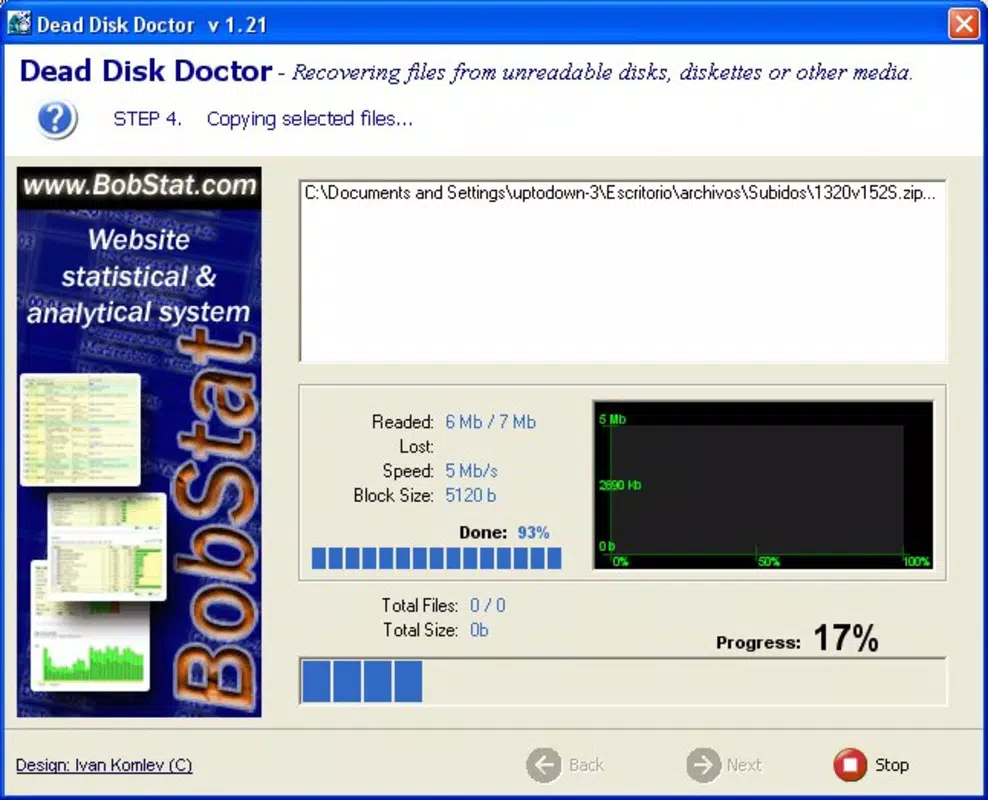
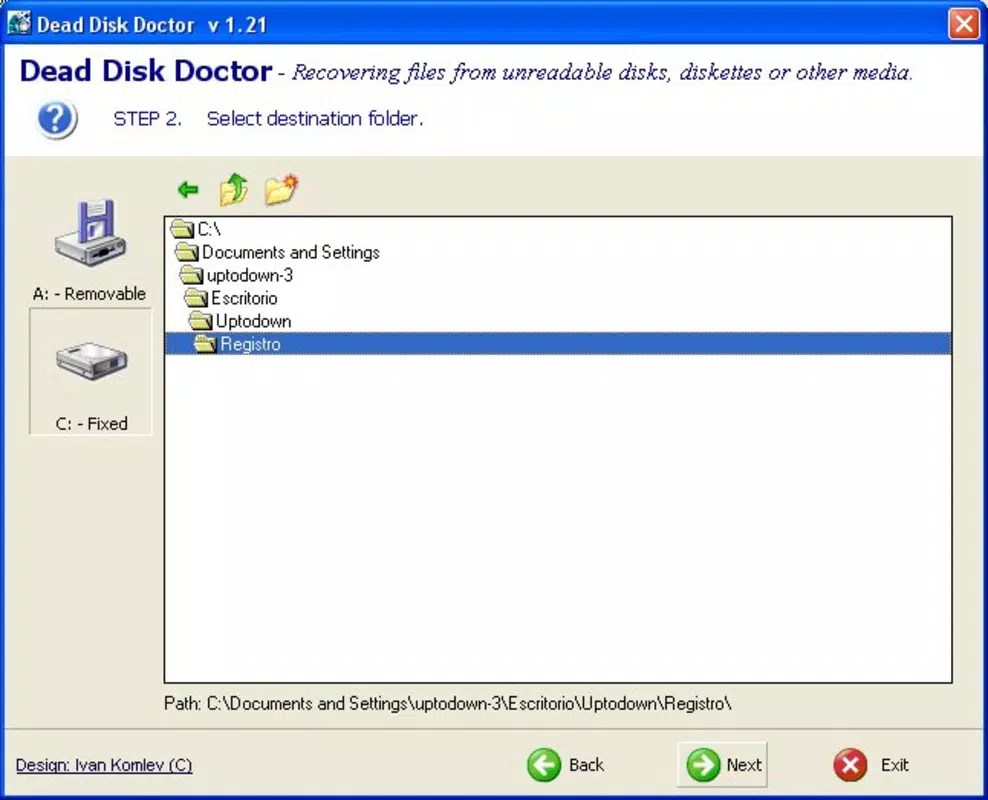
- User-Friendly Wizard Interface: The software employs a guided four-step process that simplifies the recovery workflow. This intuitive design ensures users can initiate data recovery without prior technical knowledge, reducing the risk of errors during critical operations.
- Block-by-Block Data Reconstruction: Dead Disk Doctor reads data from damaged media in small, incremental blocks. This method increases the likelihood of successful recovery by bypassing corrupted sectors and reconstructing files from readable fragments.
- Compatibility with Multiple Media Types: The application supports recovery from a range of storage devices, including CDs, floppy disks (diskettes), and internal hard drives. This versatility allows users to address data loss across different formats and storage systems.
- Restoration of Critical File Types: The tool is effective in recovering various file types such as documents, images, audio files, and archives, making it suitable for both personal and professional use cases.
- Targeted Solution for Physical Damage: Unlike software that addresses logical errors or file system corruption, Dead Disk Doctor is engineered specifically for physical media degradation, such as scratches, wear, and surface imperfections.
For example, a user with a scratched music CD containing family recordings could use the wizard to initiate a recovery scan. The block-by-block method would attempt to read each sector, reconstructing the audio file even if parts of the disc are unreadable. Similarly, someone with a damaged floppy disk containing old project files could restore critical data without needing specialized hardware.
Interface, UX & Performance
The user interface of Dead Disk Doctor is designed around simplicity and clarity, centered on a step-by-step wizard that minimizes user confusion. The layout follows a linear progression, guiding users through each stage of the recovery process with minimal distractions. Visual cues and clear labeling help maintain focus, ensuring that even users unfamiliar with data recovery tools can navigate the software effectively.
Navigation is straightforward, with a consistent layout across all stages. The application does not feature complex menus or hidden options, which enhances usability for non-technical audiences. While the developer did not list formal performance metrics, the software’s lightweight design—only 3.2 MB in size—suggests efficient resource usage, likely enabling smooth operation on older or low-spec Windows systems.
Although the developer did not specify minimum OS requirements, the application’s compact footprint and reliance on basic disk access functions imply compatibility with a wide range of Windows environments. Responsiveness appears to be optimized for the recovery workflow, with no reported delays in scanning or reconstruction processes. Stability is assumed based on the app’s long-standing presence in the utility category, though real-world performance may vary depending on the condition of the source media.
Platform Compatibility & Technical Requirements
Dead Disk Doctor is designed for the Windows operating system. The application is compatible with Windows platforms, though specific version requirements were not disclosed by the developer. The software has a file size of 3.2 MB, indicating a lightweight footprint that minimizes storage demands and installation time.
Given its release date in 2010, the app was likely built for older Windows versions such as Windows XP, Vista, or 7. However, the developer did not provide explicit compatibility details for modern Windows systems. Users should verify system requirements before installation, especially when running the software on newer versions of Windows.
Although the developer did not specify minimum OS requirements, the application’s small size and reliance on standard disk drivers suggest it may function on a broad range of Windows-based machines. No additional hardware or software dependencies were mentioned, simplifying deployment for most users.
Pros and Cons
Pros
- Simple, guided recovery process suitable for non-technical users
- Effective block-by-block data reconstruction for damaged media
- Supports multiple media types including CDs, diskettes, and hard drives
- Lightweight size (3.2 MB) ensures minimal system impact
- Specifically designed for physical media damage, not logical corruption
Cons
- Compatibility with modern Windows systems not confirmed
- No information on supported file formats or recovery limits
- Developer did not provide performance benchmarks or technical specifications
- Only available for Windows, limiting cross-platform access
- Price point of $49.95 may be high for a niche tool with limited updates
FAQ
Is Dead Disk Doctor safe to use?
Yes, the software is designed to read data without modifying the original storage media. It operates in a read-only mode, ensuring that the source disk remains unchanged during the recovery process.
Can I use Dead Disk Doctor on a damaged hard drive?
Yes, the application supports data recovery from both removable media and local hard drives, making it suitable for recovering files from physically damaged or degraded storage devices.
Does Dead Disk Doctor work on modern Windows systems?
The developer did not specify compatibility with current Windows versions. While it may run on newer systems, users should verify system requirements before installation.
What types of files can be recovered?
The software is capable of recovering various file types, including documents, images, audio files, and archives. Specific format support was not listed by the developer.
Is there a free version or trial available?
The developer did not provide information about a trial or free version. The app is available for purchase at $49.95.
Final Thoughts
Dead Disk Doctor stands as a focused, purpose-built utility for users confronting data loss due to physical damage on optical and magnetic media. Its intuitive wizard, block-by-block recovery method, and broad compatibility with different storage types make it a dependable tool for retrieving valuable files from scratched CDs, floppy disks, and damaged hard drives. While its age and lack of modern updates are notable limitations, its core functionality remains relevant for those managing legacy data.
For individuals with archival collections, educators preserving historical records, or anyone dealing with deteriorating storage media, Dead Disk Doctor offers a practical and accessible solution. Its value lies not in flashy features, but in its targeted approach to a specific problem—physical media degradation.
Despite its price, the software delivers a clear benefit for users who cannot afford to lose irreplaceable data. If you're facing data loss from damaged media and need a proven tool, Dead Disk Doctor is worth considering.
Download Dead Disk Doctor now


